Make a free journal from a template
Make a book in LitPal with no AI and no credits: start blank or pick a template, make a 100-page gratitude journal, change its style, switch to black and white, fix what the KDP check flags and download the print-ready PDF.
Templates and blank books are free: no AI and no credits. The lesson makes a gratitude journal, changes its look and passes the KDP check.
Step by step
Blank or a template
Click Create book. You can generate with AI, start with a blank book, or use a template; blank books and templates are free. Pick the gratitude journal, add a title, choose the trim size and page count, and click Create. The book opens right away with a title page, a copyright page and a prompt on every page.
Change the look
Open Design and pick a LitPal style, and every page updates. Switch to black and white, because that's cheaper on KDP.
The KDP check
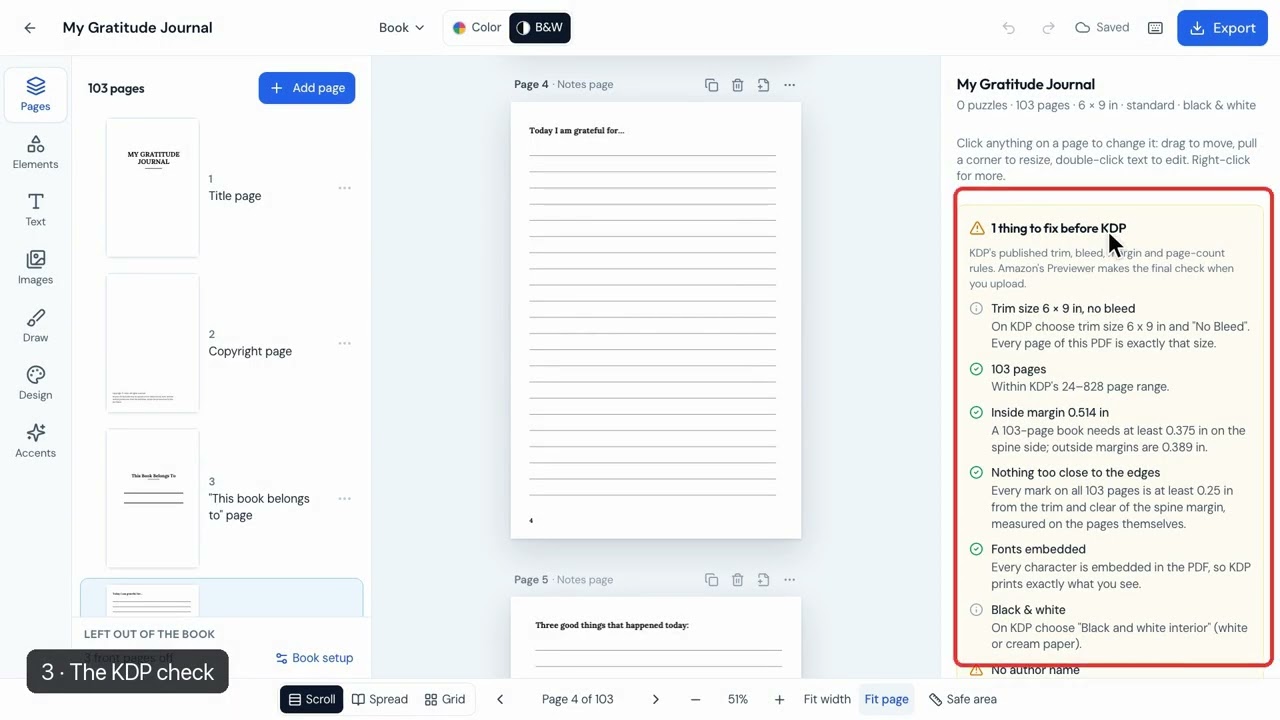
On the right, LitPal checks the book against KDP's rules. A missing author name is fixed in Book setup, and it then says no problems found.
Export and open the file
Click Export, keep Print-ready book selected and click Download PDF. The file has the title page and a different prompt on each page.