LitPal Tutorials
Learn LitPal on real books.
Short video lessons recorded on the real product, each with the steps written out. Start with the editor tour, or jump to the lesson you need.
Video lessons
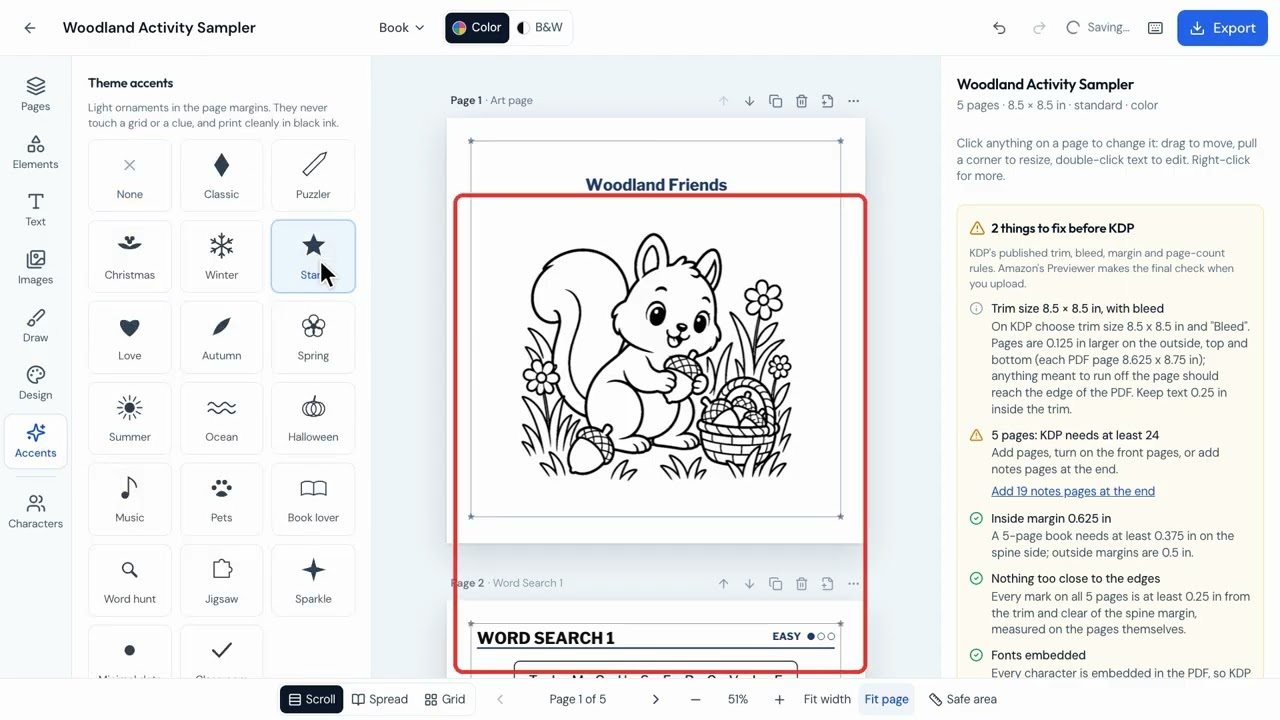 Length 3:16Lesson 1Tour the LitPal book editorSee where everything lives in the editor before you start changing your own book. This tour covers every tool on the left, the views along the bottom and the menus along the top.Watch the lesson
 Length 2:53Lesson 2Make a kids story book in LitPalFollow one real book from the idea to the finished pages. The lesson makes a 24-page story, finds a page where the picture and the text don't match, and fixes it.Watch the lesson
 Length 2:14Lesson 3Make a cover that matches your bookStart the cover from inside your book, because the trim size, page count and spine all have to match your interior. The lesson generates a cover, makes the title easier to read and checks it for KDP.Watch the lesson
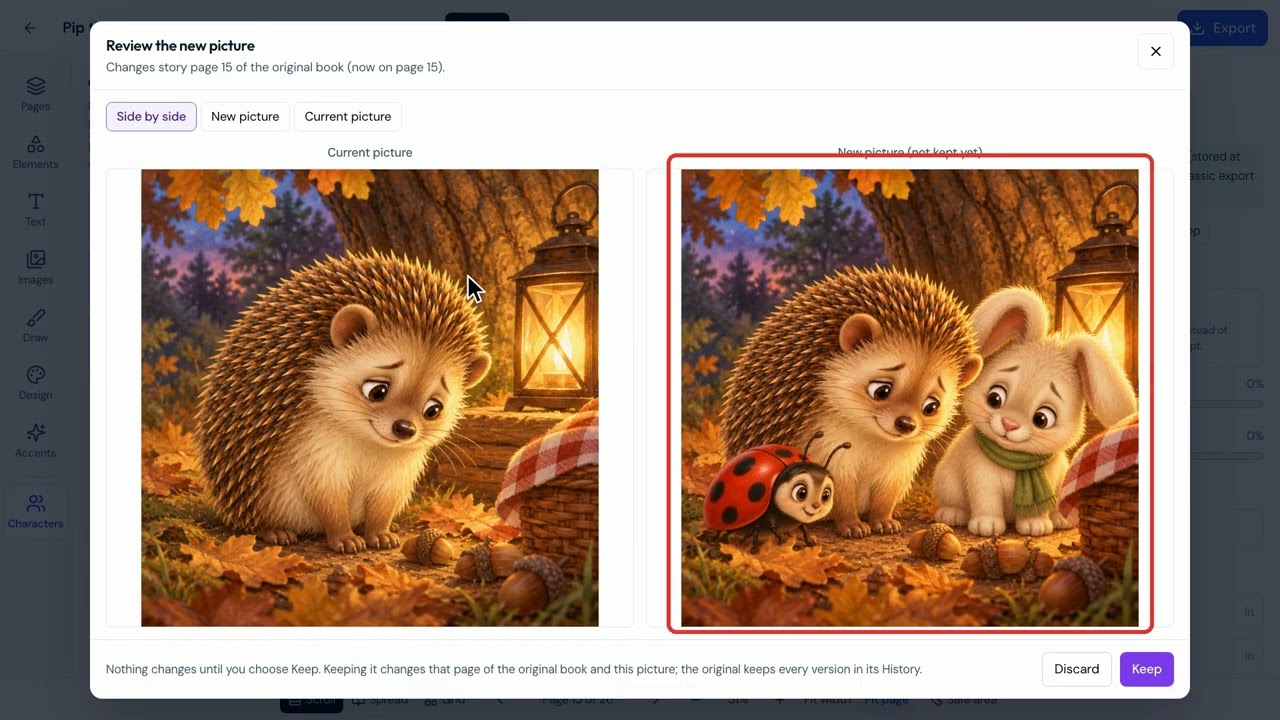 Length 2:22Lesson 4Edit book pictures with AIChange one picture at a time and stay in control of the result. Nothing changes on your page until you click Keep, and earlier versions stay in History.Watch the lesson
Longer courses
Included with your account. Sign in to watch and keep your progress.
Need a hand with something else?
Our help page covers accounts, billing and getting in touch with support.